
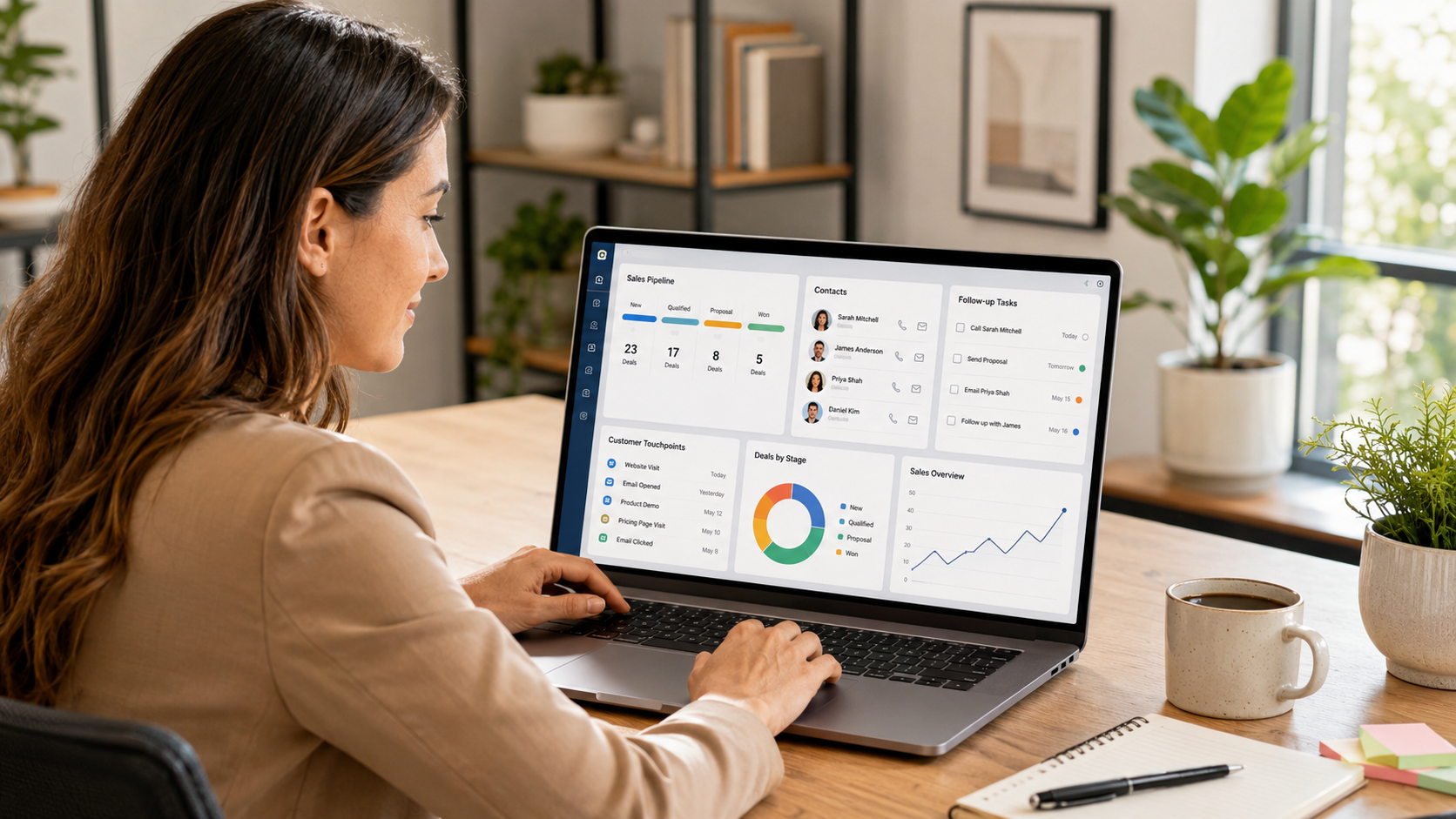
What is a CRM? It is software that keeps your contacts, conversations, deals, and follow-ups in one organized place. You probably need one when managing customers through memory, email, and spreadsheets starts costing you time or sales.
For example, a customer messages you on Tuesday asking about a quote you sent last month. You remember the conversation, sort of. The details live somewhere between your email inbox, a note on your phone, and a spreadsheet you last updated in a hurry. So you spend a few minutes digging before you can reply.
That scattered feeling is exactly the problem a CRM solves. This guide explains what a CRM does day to day, how it differs from a spreadsheet, the signs you have outgrown manual tracking, and how to choose your first system without overbuying.
Quick Summary
- Who this is for: Small business owners, consultants, real estate investors, local service businesses, and agencies who currently manage customers with spreadsheets, email, or memory.
- What you’ll learn: What a CRM is, what it does day to day, how it compares to a spreadsheet, the signs you need one, and how to choose your first system.
- The bottom line: You probably need a CRM when customer information becomes scattered, follow-ups start getting missed, or more than one person needs a reliable view of each relationship. Until then, a well-maintained spreadsheet may be enough.
- Reading time: About 16 minutes.
- Last updated: August 2026.
What Is a CRM?
A CRM answers three everyday questions: Who is this person, what have we talked about, and what happens next? Once those answers live in one system, your business stops depending on memory and starts running on a repeatable process.
That shift matters more than any single feature. A good CRM does more than store information. It reminds you to follow up, shows you where each deal stands, and gives you the context needed to treat customers consistently as your business grows.
What Does CRM Stand For?
CRM stands for Customer Relationship Management. The phrase describes both the software and the practice behind it.
The software part is the tool you log into. The practice part is the habit of tracking every interaction so nothing important slips through the cracks. When people say they “use a CRM,” they usually mean both at once.
You don’t need to memorize the definition to benefit from it. What matters is the outcome: fewer forgotten follow-ups, cleaner records, and a customer experience that feels intentional rather than improvised.
What Does a CRM Actually Do?
Definitions are useful, but most business owners want to know what a CRM does on a normal Wednesday. In practice, it handles a handful of jobs that quietly add up.

It stores your contacts. Every lead and customer gets a single record with their details, history, and notes. No more searching three apps to find one phone number.
It tracks follow-ups. A CRM reminds you when to reach out, so a promising lead is less likely to go cold because you got busy. For businesses that regularly miss follow-ups, this feature may be enough to justify the switch.
It manages your deals. Most CRMs use a pipeline, which is a visual board showing where each opportunity stands, from first contact to closed sale. You can see at a glance which deals need attention today.
It sets reminders and tasks. Instead of keeping to-do items in your head, you assign them to specific contacts. The system nudges you at the right moment.
It automates repetitive work. Many CRMs send welcome emails, route new leads, or create follow-up tasks on their own. As a result, you spend less time on manual busywork and more time on real conversations.
It reports on what’s working. A CRM shows you where leads come from, how many turn into customers, and which efforts pay off. Over time, that visibility helps you make better decisions with less guessing.
None of these jobs are complicated on their own. The value comes from doing all of them in one place, reliably, so nothing depends on you remembering everything.
A Simple CRM Example
Picture a solo marketing consultant named Maria. In Maria’s setup, a lead fills out the contact form on her website, and the CRM instantly creates a record and sends a welcome email. Three days later, when Maria hasn’t heard back, the CRM reminds her to follow up. On Monday morning, she checks her pipeline and sees exactly which prospects need attention that week. None of it relies on her memory, because the system tracks it for her.
What a CRM Is Not
Beginners often confuse a CRM with tools that look similar, so it helps to draw a few lines.
A CRM is not just a contact list. A phone’s address book stores names and numbers, but it can’t track deals, send reminders, or report on results. Those extra jobs are what make a CRM more useful than a basic contact list.
A CRM is also not the same as email marketing software, though the two overlap. Email marketing tools focus on sending campaigns to large lists, while a CRM focuses on managing individual relationships and sales. Some platforms do both, which we cover in the FAQ below.
Finally, a CRM is not primarily a project management tool. It tracks customers and deals, not tasks like designing a website or building a product. Keeping that distinction clear helps you avoid buying software that does everything poorly instead of one thing well.
CRM vs Spreadsheet: What’s the Difference?
Plenty of businesses start with a spreadsheet, and for a while it works fine. A spreadsheet is free, familiar, and flexible. The trouble starts as your customer list grows and your process gains more moving parts.

A spreadsheet stores information, but it can’t act on it. It won’t remind you to follow up, it won’t flag a stalled deal, and it certainly won’t send an email on your behalf. Every update depends on you remembering to make it.
A CRM, by contrast, is built to move work forward. Here’s how the two compare on the tasks that matter most.
| Task | Spreadsheet | CRM |
|---|---|---|
| Storing contact details | Works at first | Built for it, with full history |
| Remembering follow-ups | Manual and easy to forget | Automatic reminders and tasks |
| Tracking deal stages | Hard to see at a glance | Visual pipeline |
| Sending emails | You do it by hand | Automated where you want it |
| Team access and handoffs | Version confusion | One shared source of truth |
| Reporting on results | Manual formulas | Built-in dashboards |
| Managing growing volume and complexity | Becomes harder to maintain manually | Designed to support a repeatable process |
Consider what happens as a business grows. With a handful of customers, a spreadsheet feels effortless. As the list grows, you may start missing follow-ups because nothing prompts you, and keeping the sheet accurate can eat real hours. The spreadsheet didn’t get worse. Your needs outgrew it.
Where that breaking point lands depends less on a specific number of contacts and more on your workflow complexity, follow-up volume, team size, and sales process. A consultant with fifty steady clients may be fine, while a busy service business with fifty active quotes may already be struggling.
That’s the AGL principle at work: build the smallest stack that solves your biggest problem. If a spreadsheet still solves the problem, keep it. Once it stops, a CRM becomes a sensible next step.
Signs You Need a CRM
You don’t need a CRM because everyone else has one. You need one when the way you currently manage customers starts costing you time, money, or relationships. Watch for these signs.
- You forget to follow up. Promising leads go quiet because the follow-up lived only in your head.
- Customer details are scattered. Information sits in email, texts, notes, and spreadsheets, so finding anything takes too long.
- You lose track of where deals stand. You can’t quickly say which prospects are close to buying and which have stalled.
- Only you know the status of each client. If you took a week off, no one else could pick up where you left off.
- Leads go cold before you respond. Slow replies cost you business, and you have no system prompting faster action.
- You rewrite the same emails constantly. The same welcome message and the same answers get typed from scratch every time.
- Your spreadsheet has become unmanageable. Tabs multiply, formulas break, and two people edit different versions.
- You can’t tell what marketing works. You don’t know which channels actually bring in paying customers.
- Handoffs drop details. When work passes between team members, context gets lost and customers repeat themselves.
- You’re growing faster than you can track. More customers means more moving parts, and manual tracking can’t keep up.
- Revenue has slipped through the cracks. A missed follow-up or forgotten quote has already cost you a sale.
- Onboarding a new hire is painful. There’s no clear record of how customers are managed, so training takes forever.
If one or two of these sound familiar, you might be fine for now. When several ring true at once, that’s usually the moment a CRM starts paying for itself.
Benefits of Using a CRM
The signs above describe the pain. The benefits describe the payoff. When a CRM is set up well and actually used, a few things tend to change.
You lose fewer leads. Automatic reminders make leads less likely to be forgotten. More consistent follow-up gives qualified prospects a better chance of receiving a response while they are still interested.
Your customer experience gets more consistent. Because every interaction is recorded, you and your team have the context needed to provide a more consistent customer experience. That consistency builds trust.
You save real time. Automation handles the repetitive tasks that used to eat your afternoon. Instead of typing the same email for the tenth time, you let the system send it.
You make decisions with data. Reporting shows you what’s working, so you can invest in the channels and offers that actually produce customers. Guesswork gives way to evidence.
Your business becomes transferable. When your process lives in a system rather than your memory, you can delegate, hire, and eventually step back. That’s the difference between a job and a business you own.
For a quick illustration, picture a local service business. Before a CRM, inquiries arrive by text and email, quotes get jotted on paper, and follow-up happens only when the owner remembers. After a CRM, every inquiry lands in one pipeline and the system flags each follow-up when it’s due. Same business, fewer lost jobs.
Common CRM Features Explained
CRM websites love to list dozens of features, which can make the software feel more complicated than it is. In reality, a handful of core features do most of the work, and you can add the rest later.
Features You Need First
Contact management. The heart of any CRM. Each customer gets one record with their details, notes, and full history of interactions.
Pipeline and deal tracking. A visual board that shows where each opportunity sits in your sales process. You drag deals forward as they progress, so nothing gets forgotten.
Tasks and reminders. To-do items tied to specific contacts. The CRM prompts you at the right time, so follow-ups happen on schedule.
Notes and activity history. A running timeline of every call, email, and meeting tied to each contact. When a customer returns after six months, you can see the whole story instead of guessing.
Features You May Need as You Grow
Email integration. Your emails connect to the CRM, so conversations log automatically and you can send messages without leaving the system.
Automation and workflows. Rules that trigger actions on their own, such as sending a welcome email when a new lead comes in or creating a follow-up task after a call.
Lead capture forms. Web forms that drop new leads straight into your CRM, so you never copy details by hand or lose an inquiry.
Reporting and dashboards. Visual summaries of your pipeline, conversion rates, and activity. These turn raw data into decisions.
Mobile access. Most CRMs offer an app, so you can update a record or check a customer’s details from your phone between meetings.
Lead scoring. Some CRMs rank your leads by how engaged they are, so you focus your time on the prospects most likely to buy. This matters more as your lead volume grows.
You won’t use every feature on day one, and that’s fine. Start with the core, then add capability as you get comfortable. That gradual approach reflects the Automated Growth Roadmap™: adopt a tool when you’re ready to use it, not all at once.
Common CRM Mistakes to Avoid
A CRM is a tool, and like any tool, it can be used poorly. First-time CRM buyers often make the same avoidable mistakes. Knowing them in advance saves you money and frustration.
Buying the most powerful tool first. More features often mean more complexity, and unnecessary complexity can hurt adoption. Before you upgrade to an advanced platform, run it through the Tool Overload Test™. Start with what exact job the tool would do, whether a tool you already own does that job well enough, and whether the value is greater than the full cost, including setup and maintenance.
Skipping clean data migration. Importing a messy spreadsheet gives you a messy CRM. Take time to clean duplicates and fix formatting before you move anything in.
Over-customizing too early. It’s tempting to build elaborate pipelines and automations on day one. Start simple, learn how you actually work, then customize based on real needs.
Letting the team ignore it. A CRM only works if people use it. If half your team keeps notes elsewhere, your records become unreliable. Adoption matters more than any feature.
Treating it as storage instead of a system. A CRM you only use to look up phone numbers is a very expensive address book. The value comes from the follow-ups, automation, and reporting, so put those to work.
Expecting the tool to fix the process. A CRM organizes and automates the way you already work, but it can’t invent a sales process you don’t have. If you don’t know your steps from lead to customer, map them first, then let the CRM support them.
Most of these mistakes share one root cause: buying software before understanding the problem. Slow down at the start, get clear on what you need, and the tool becomes far easier to choose and to use.
How to Choose Your First CRM
Once you’ve decided a CRM makes sense, the next question is which one. With hundreds of options, the choice can feel overwhelming. A simple approach keeps you focused on what matters.

Start With the Problem You Need to Solve
Before comparing products, get clear on what you actually need the CRM to do. How many contacts do you manage today, and how fast is that growing? Do you work solo, or does a team need shared access? Which tools, like your email or calendar, does the CRM need to connect with? And realistically, how much setup are you willing to do?
Your answers narrow the field quickly. A tool that’s perfect for a five-person agency may be overkill for a solo consultant, and the reverse is true too.
At Automated Growth Lab, we evaluate software using six practical component categories, which inform an Overall Automated Growth Score™:
- Beginner Friendly. How quickly a typical owner can get productive.
- AI Features. Whether the built-in AI genuinely saves time.
- Automation Power. How effectively the tool handles repetitive work.
- Ease of Use. How clear and manageable the day-to-day experience is.
- Integrations. How well it connects with the rest of your tools.
- Value for Money. What you get relative to what you pay.
Together, these six components inform the Overall score: the final assessment of whether the product is a strong fit for the intended reader after weighing cost, implementation, limitations, risk, and alternatives. Overall is a judgment, not a simple average of the six. Notice that “most features” isn’t a category, because a simpler tool can be the better choice when it’s easier to use and more likely to fit your business.
Match the CRM to Your Business
The right CRM depends on your situation, not on a universal ranking. A solo consultant usually wants something lightweight and fast to set up. A local service business benefits from strong follow-up automation and easy mobile access for the field. A growing agency needs shared access, deeper reporting, and room to scale. A real estate investor often values pipeline tracking and the ability to nurture leads over long timelines.
Timing matters as well. The Automated Growth Roadmap™ suggests adopting a CRM when it solves a problem you’re facing today, not because a feature list looks impressive. If manual tracking is already costing you customers, now is the time. If it isn’t yet, you can wait and revisit the decision as you grow.
Consider the Rest of Your Software Stack
Your CRM is one piece of a larger system that might eventually include email marketing, scheduling, and automation tools. This is where the Automated Growth Stack™ comes in. Choosing a CRM that connects cleanly with your other tools saves you headaches later. The goal isn’t to buy everything at once. It’s to add each piece only when it earns its place, keeping implementation and ongoing maintenance manageable.
Implement This Today
- Difficulty: Beginner
- Time required: 30 minutes
- Cost: Free
- First action: List every place your customer information currently lives (email, phone, spreadsheets, notes). That single list shows you how scattered your process is, and it becomes the foundation for your first CRM setup.
Your Next Step
If this guide convinced you that a CRM belongs in your business, the natural next move is choosing one. That’s where our detailed comparison takes over.
Read Best CRM for Small Business (2026) next. It applies the Automated Growth Score™ to the leading options, shows which tool fits which type of business, and includes the honest pros and cons of each, so you can decide with confidence.
Prefer to build your whole system in the right order? Start with How to Automate a Small Business for the bigger picture, or download the Automated Growth Blueprint to map out the automations that will generate the highest return before you invest in new software.
Frequently Asked Questions
What is a CRM in simple terms?
A CRM is software that keeps all of your customer information, conversations, and follow-ups in one organized place. Instead of tracking customers across email, notes, and spreadsheets, you manage every relationship from a single system that reminds you what to do next.
Do I really need a CRM for a small business?
Not always. If you have a short customer list and a simple process, a spreadsheet may be enough. You likely need a CRM once you start forgetting follow-ups, losing track of deals, or spending too much time hunting for customer details.
What’s the difference between a CRM and a spreadsheet?
A spreadsheet stores information but can’t act on it. A CRM stores the same information and adds reminders, deal tracking, automation, and reporting. In short, a spreadsheet is a filing cabinet, while a CRM is a working assistant.
How much does a CRM cost?
Pricing varies widely. Many CRMs offer free plans for small teams, and paid plans typically scale with the number of contacts and features you need. For current pricing on specific tools, see our Best CRM for Small Business (2026) comparison, where figures are verified at publish time.
Is a CRM hard to set up?
A simple CRM can often be set up in an afternoon, although importing data, customizing workflows, and training a team may take longer. The key is to start small. Import your contacts, set up basic follow-up reminders, then add automation later as you get comfortable.
Can a CRM replace my email marketing software?
Sometimes. Some CRMs include built-in email marketing, while others focus on sales and connect to a separate email tool. It depends on the platform and your needs. Our guide to the best email marketing software for small business explains when to combine them and when to keep them separate.
When should I get a CRM?
The right time is when manual tracking starts costing you customers or hours. If several of the signs in this guide sound familiar, you’ve probably reached that point. Following the Automated Growth Roadmap™, adopt a CRM when it solves a real problem you’re facing now, not before.
What types of businesses benefit most from a CRM?
Any business that manages ongoing customer relationships can benefit, but the payoff is often strongest for consultants, agencies, local service businesses, and real estate investors. These businesses rely on timely follow-ups and repeat relationships, which is exactly what a CRM protects.
Can I use a CRM by myself?
Yes. Solo owners can use a CRM effectively, and several platforms offer free or low-cost plans suitable for one person. Working solo is actually a strong reason to use one, since a CRM handles the follow-ups and reminders you would otherwise track alone.
Conclusion
A CRM replaces memory with a reliable system, so your contacts, conversations, and follow-ups live in one place and fewer details slip through the cracks.
Keep the decision practical. If a well-maintained spreadsheet still works, stay with it. Adopt a CRM once manual tracking starts costing you time, sales, or customer context. When you do, choose the smallest system your business will consistently use, not the one with the longest feature list.
Because the best CRM is not the one with the most features. It is the one your business actually uses every day.
Related reading: Start Here, How to Automate a Small Business, and Best CRM for Small Business (2026).