
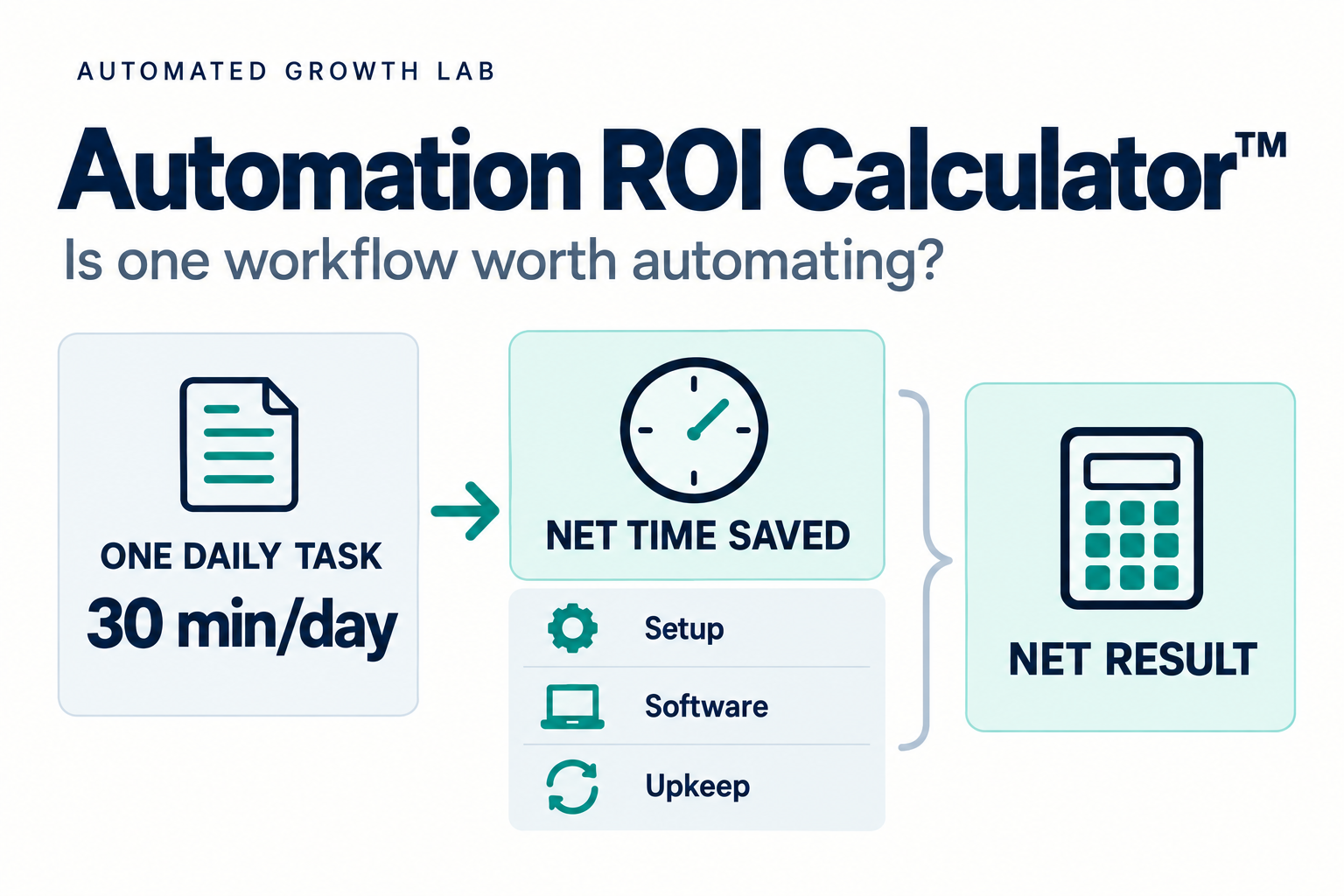
Quick Summary
Who this is for: Small business owners weighing one repetitive workflow and wondering whether automating it will actually pay off.
The short answer: An automation is worth testing when the time it saves, after review work and upkeep, is clearly worth more than everything it costs to set up and run in its first year. The Automation ROI Calculator™ walks you through that comparison with an interactive calculator and a fill-in worksheet.
What to collect first: How long the task takes now, how often it happens, how much time it will still take after automation, what setup will cost (including your own hours), and what you will pay each month to keep it running.
One thing to know up front: A positive result based on time value does not mean the automation puts money in the bank. Freed hours become cash only when they let you avoid a real expense or produce additional profit. This guide keeps time value and cash separate.
When Software Promises to Save You 30 Minutes a Day
Picture a task that takes about 30 minutes every working day. Maybe it is copying form submissions into your CRM, sending appointment reminders, or chasing unpaid invoices. A piece of software says it can handle the whole thing for you.
That sounds like an easy yes. The real question, though, is what the automation will save after setup, the review work that remains, the occasional fix when something breaks, and the subscription you will keep paying.
An automation ROI calculator answers that question with numbers you can defend. A realistic estimate may support the automation, reveal a smaller benefit, or show that it is not worth pursuing. It also tells you what has to happen for any projected benefit to become real.
Automated Growth Lab
Automation ROI Calculator™
Is one automation worth pursuing? Compare its full first-year cost with the time it frees and the cash benefits you can actually support.
The starting figures are a hypothetical example. Time value is estimated capacity, not money in the bank. Replace the figures with your own.
The calculator needs JavaScript. If the fields do not produce results, preview the saved page or check that scripts are enabled.
What the Automation ROI Calculator™ Measures
The Automation ROI Calculator™ is Automated Growth Lab’s practical method for estimating the first-year return of one automated workflow. It compares the net value of the time an automation frees up, plus any separately supported cash benefits, with the full first-year cost of setting it up and running it.
Use the interactive calculator above for an immediate estimate, or use the worksheet below to calculate it by hand or in a spreadsheet.
The method rests on five distinctions. Most unreliable automation estimates blur at least one of them.
Baseline, Gross Time Saved, and Net Time Saved
Your baseline is the time the task takes today. Gross time saved is the manual work the automation removes, before you account for the review, exceptions, and maintenance it creates. If the automation takes over the entire task, gross savings equal the baseline. If it handles only part of the task, gross savings are smaller.
Net time saved is what is left after you subtract that remaining work. An automation that removes a 30-minute task but still needs five minutes of daily review saves 25 minutes per task, and ongoing maintenance takes a little more off the year’s total.
Capacity Value, Cash Savings, and Additional Profit
Capacity value is what freed hours are worth when you put a reasonable hourly value on them. It is real economic value, but it is not money in the bank.
Cash benefits come in two different forms:
- Cash savings are expenses you no longer pay, such as a contractor invoice, paid overtime, or a subscription you can cancel.
- Additional profit is the incremental contribution profit from extra work the automation helps you win or complete. That means the revenue minus its direct costs, not gross revenue.
Both improve cash ROI, but they are different outcomes. Cash savings shrink what goes out. Additional profit increases what comes in, and it usually takes longer to prove.
First-Year Benefit vs. First-Year Cost
The benefit side includes capacity value plus any cash benefits that do not overlap with it. The cost side includes one-time implementation costs (setup, migration, integration, training, and your own hours on all of them) plus the recurring costs you pay during the year.
Net Benefit, ROI Percentage, and Payback Period
These three results answer different questions:
- Net benefit is the dollar difference between first-year benefit and first-year cost.
- ROI percentage compares that net benefit with the cost, which helps you compare automations of different sizes.
- Payback period estimates how many months the steady monthly benefit takes to cover the one-time setup cost.
A small automation can show a large ROI percentage and a modest dollar benefit, so look at all three.
Estimates Before a Pilot vs. Measured Results After
Everything you calculate before launch is an estimate. The numbers become reliable only after you run the automation on real work and measure what happened. Treat the first calculation as a reason to test, not a reason to commit.
Gather Your Inputs Before You Calculate
Use real task volume or actual working days. Do not assume a workflow runs 365 days a year or that it will run perfectly.
| Input | What it means | How to estimate it |
|---|---|---|
| Manual minutes per task (baseline) | Time the task takes today | Time five to ten real occurrences and use the typical figure |
| Annual task volume | How many times the task happens in a year | Count a typical week or month and scale up, adjusting for slow seasons and days off |
| Remaining minutes per task | Time still spent on each task after automation: steps it does not cover, plus review and exceptions | Estimate conservatively, then replace with measured time after a pilot |
| Additional maintenance hours per year | Time spent monitoring, fixing, and updating the automation | Include weekly checks, broken connections, and changes when your process or tools change |
| Hourly value | A defensible value for the time freed | Employee: fully loaded labor cost. Owner: a reasonable value tied to the work the time will go to |
| One-time implementation cost | Setup, migration, integration, and training | Outside fees plus internal hours at the same hourly value |
| Incremental recurring cost | New software, connector, usage, or support charges caused by this automation | Count only the cost added by this decision |
| Cash savings | Expenses you will no longer pay | Tie each one to evidence, such as an invoice or subscription you can stop |
| Additional profit | Incremental contribution profit from extra work completed or won | Use revenue minus direct costs, and only where you can show the link |
| Go-live delay and benefit period | How long until the automation runs and how many months of benefit fall in year one | Be realistic about setup time and testing |
Choosing a Defensible Hourly Value
For an employee, use fully loaded labor cost: wages plus the payroll taxes, benefits, and other costs that come with that person’s time. A wage alone understates it.
For an owner, resist using your highest billing rate. An owner who bills $150 an hour but will spend the freed time on admin should not value it at $150. Tie the number to what the time will realistically be used for, and use the same rate for your setup hours.
Counting Costs Fairly
Count only the costs this decision adds. If the automation uses a feature in a CRM you already pay for, that subscription is not a new cost here.
Shared tools need a fair split. If you upgrade a plan partly for this automation and partly for other reasons, assign a reasonable share to this workflow and write down how you split it.
Avoidable current costs work the same way in reverse. If the automation lets you cancel a tool, that avoided subscription is a cash saving. Count it once, in one place.
How to Calculate Automation ROI, Step by Step
These formulas assume a full 12 months of operation. Adjustments for a delayed launch appear in the worked example.
Step 1: Net annual hours saved. [(Manual minutes per task − remaining minutes per task) × annual task volume ÷ 60] − additional annual maintenance hours
This is the real time the automation gives back. Ongoing supervision is subtracted here, so do not also count it as a cost.
Step 2: Annual capacity value. Net annual hours saved × hourly value
Step 3: Estimated first-year benefit. Annual capacity value + cash savings or additional profit that do not overlap with it
Never count the same hours twice. If freed hours let you cut a contractor’s invoice, count either the invoice savings or the capacity value of those hours, not both. The same applies to additional profit: if the freed hours produce the extra work, count the profit or the capacity value of those hours, not both.
Step 4: Total first-year cost. One-time implementation cost + incremental recurring cost incurred in year one
Your setup hours belong here, priced at your hourly value. Because they are counted as a cost, do not also subtract them from the hours saved in Step 1.
Step 5: Net first-year benefit. First-year benefit − first-year cost
Step 6: First-year ROI percentage. Net first-year benefit ÷ first-year cost × 100
When the benefit rests on capacity value, call the result an estimated economic ROI. A separate cash ROI uses only cash savings and additional profit as the benefit and only cash payments as the cost. If cost is zero, the percentage is undefined, so report the dollar benefit instead.
Payback period (optional). One-time implementation cost ÷ (monthly benefit − monthly recurring cost)
Calculate a finite payback only when the figure in parentheses is positive. Label it capacity-based or cash-based, and say whether it runs from your first spending or from go-live. It is a simple approximation that assumes steady monthly results and leaves out financing, taxes, and the time value of money.
Fill-In Worksheet
Prefer to work through the numbers yourself? Copy this worksheet into a spreadsheet or use it to calculate by hand. The calculator above handles these calculations automatically.
| Line | Item | Your number |
|---|---|---|
| A | Manual minutes per task (baseline) | |
| B | Remaining minutes per task | |
| C | Annual task volume | |
| D | Additional maintenance hours per year | |
| E | Net annual hours saved: [(A − B) × C ÷ 60] − D | |
| F | Hourly value | |
| G | Annual capacity value: E × F | |
| H | Non-overlapping cash savings and additional profit | |
| I | First-year benefit: G + H | |
| J | One-time implementation cost (including internal hours) | |
| K | Incremental recurring cost in year one | |
| L | First-year cost: J + K | |
| M | Net first-year benefit: I − L | |
| N | Estimated economic ROI %: M ÷ L × 100 | |
| O | Payback months after launch: J ÷ [(I − K) ÷ 12] |
Line O assumes benefits and recurring costs are spread evenly across 12 months. For a cash view, set G to zero, enter only cash savings and additional profit in H, and include only cash payments in J and K. Then recalculate I through N with those entries, so N shows cash ROI.
Worked Example: One 30-Minute Daily Task
The examples below are hypothetical. They are not AGL test results or customer outcomes, and the figures are chosen to keep the arithmetic easy to follow.
The Quick Version and What It Leaves Out
A common first pass looks like this:
- 30 minutes a day × 250 working days ÷ 60 = 125 hours a year
- 125 hours × $50 an hour = $6,250 of estimated time value
- Software at $50 a month = $600 a year
- $6,250 − $600 = $5,650
That $5,650 looks persuasive, but it treats the 30-minute baseline as if all of it were saved. It assumes no review, no breakdowns, and no setup. The $6,250 is not ROI either. It is a gross estimate of time value before most of the costs.
The Full-Cost Version
Now add the pieces the quick version skipped. Assume the automation starts working immediately and removes the whole manual task, leaving only review and exceptions.
| Item | Figure |
|---|---|
| Baseline manual time | 30 minutes per day |
| Remaining review and exceptions | 5 minutes per day |
| Working days | 250 |
| Additional maintenance | 10 hours per year |
| Net annual hours saved | (25 × 250 ÷ 60) − 10 = about 94.17 hours |
| Hourly value | $50 |
| Annual capacity value | about $4,708.33 |
| Owner setup time | 12 hours × $50 = $600 |
| Outside setup fee | $200 |
| One-time implementation cost | $800 |
| Incremental software | $600 per year |
| First-year cost | $1,400 |
| Net first-year benefit | about $3,308.33 |
| Estimated economic ROI | about 236.3% |
| Steady monthly net capacity benefit | ($4,708.33 − $600) ÷ 12 = about $342.36 |
| Capacity-based payback after launch | $800 ÷ $342.36 = about 2.34 months |
The automation still looks worthwhile. The net benefit, however, is about $2,340 lower than the quick version suggested.
The Cash View of the Same Example
Here, the owner keeps taking the same draw. There are no cash savings, because no paid hours or other expenses go away, and there is no evidence yet of additional profit.
On a cash basis, the business spends $800 in year one: the $600 subscription and the $200 setup fee. The owner’s 12 setup hours are an economic cost but not a cash payment. With no demonstrated cash benefit, the cash view shows $800 going out and nothing yet coming back.
That does not make the automation a bad idea. Its payoff depends on what happens to roughly 94 freed hours. They could replace paid hours (cash savings) or go into work that wins more jobs (additional profit). Until one of those happens, the honest description is “frees capacity worth about $4,700 at $50 an hour.”
If Launch Takes Longer
Suppose setup and testing take three months and the software bills from the day you sign up. You get only nine months of benefit in year one, about $3,531.25, while first-year cost stays at $1,400. Net first-year benefit falls to about $2,131.25, an estimated economic ROI of about 152.2%.
By go-live you have spent $950: the $800 setup plus three months of software. At about $342.36 a month after launch, that takes roughly 2.8 months to recover, or about 5.8 months from your first spending.
A Downside Scenario
Now assume the estimate was too optimistic. The task actually happens on about 180 days a year, and exceptions leave 15 minutes of work each time.
- Net annual hours saved: (15 × 180 ÷ 60) − 10 = 35 hours
- Annual capacity value: 35 × $50 = $1,750
- First-year cost: still $1,400
- Net first-year benefit: $350
- Estimated economic ROI: 25%
- Capacity-based payback after launch: $800 ÷ [($1,750 − $600) ÷ 12] = about 8.3 months
The return is now thin, and it is sensitive to the hourly value. At $40 an hour, both sides of the calculation change, because the owner’s setup time is valued at the same rate:
- Annual capacity value: 35 × $40 = $1,400
- One-time implementation cost: (12 × $40) + $200 = $680
- First-year cost: $680 + $600 = $1,280
- Net first-year benefit: $120
- Estimated economic ROI: about 9.4%
- Capacity-based payback after launch: $680 ÷ [($1,400 − $600) ÷ 12] = about 10.2 months
Below roughly $35 an hour, this scenario has a negative estimated economic return in year one. A result this fragile is a signal to simplify the process or try a tool you already own before paying for a new one.
What to Do With Your Result
No single ROI percentage or payback period is right for every business. Read your result alongside what you know about the process.
| What your estimate shows | Reasonable next move |
|---|---|
| A favorable result even with conservative inputs, and a stable process | Run a limited pilot on real work and measure it |
| Good time value but little or no cash savings or additional profit | Decide what the freed hours will be used for. If there is no specific need, the automation may not be a priority |
| A thin or negative return | Simplify the process first, or try a feature in a tool you already pay for |
| Poor reliability, or serious consequences if it fails | Add review steps and controls, then test before expanding |
Common Mistakes That Inflate Automation ROI
- Leaving out setup and maintenance. Your setup hours and ongoing upkeep are real costs, even when no invoice arrives.
- Treating the baseline as net savings. Review, exceptions, uncovered steps, and maintenance still take time after launch.
- Inflating the hourly value. Your top billing rate is rarely the right figure for time that goes back into admin work.
- Double counting. Counting the same hours as capacity value and as cash savings or additional profit makes a benefit look twice its size.
- Using revenue instead of profit. Extra sales count only as the contribution profit left after their direct costs.
- Overestimating volume. A daily task that really happens three days a week cuts gross time saved by about 40%.
- Treating all time saved as money earned. Freed time becomes cash only through an avoided expense or additional profit.
Measure the Real Result Before You Expand
An estimate tells you whether a test is worth running. The test tells you whether the automation deserves a permanent place.
Record a baseline before you change anything: how often the task happens, how long it takes, and how often it goes wrong. Then run a small pilot on real work for a few weeks.
Afterward, compare actual task volume, net time saved, real costs, exceptions, and the outcome you cared about, such as faster replies or fewer missed follow-ups. Recalculate with measured numbers, and expand only after the workflow works reliably.
This calculation supports the measurement step of the Automated Growth Roadmap™, which helps you pick the bottleneck and fix the process first. If the automation relies on software you already pay for, the Tool Overload Test™ can confirm that the tool is earning its place.
Frequently Asked Questions
What is the formula for automation ROI?
First-year ROI equals net first-year benefit divided by first-year cost, multiplied by 100. When the benefit rests mainly on the value of freed hours, the result is an estimated economic ROI, not proof of cash return.
Does saved time count as cash savings?
Not automatically, because saved time is capacity. It produces cash savings only when it lets you stop paying for something, such as contractor or overtime hours. It produces additional profit when you use it for work that earns more than its direct costs. Both are cash benefits, but they are different outcomes, so track them separately from capacity value.
What costs should I include?
Include one-time costs: setup, migration, integration, training, outside help, and your own hours priced at your hourly value. Add the recurring costs this decision creates, such as new software, connectors, usage charges, and paid support. Ongoing monitoring time can reduce hours saved instead, as long as you count it only once.
What if I already pay for the software?
Then the subscription is not a new cost for this decision. Your setup time, maintenance, and any plan upgrade still count. Using a tool you already own is often the simplest way to improve the return, provided that tool is actually earning its place.
How do I calculate payback?
Divide the one-time implementation cost by the steady monthly net benefit, meaning monthly benefit minus monthly recurring cost. If that monthly figure is zero or negative, the automation does not pay back under your assumptions. Label the result capacity-based or cash-based, and say whether it runs from your first spending or from go-live.
Your Next Step: Test One Workflow
If several automation ideas address the same bottleneck, use the Automation Opportunity Matrix™ to compare their impact, effort, and readiness. Then use the calculator to check the economics of your chosen candidate.
Choose one workflow and enter conservative estimates into the calculator above. If the result holds up, use the 90-Day Automation Plan™ to set a baseline, build the automation carefully, and measure whether it beats your starting point.
If you have not chosen a workflow yet, the Automated Growth Blueprint can help you find the one worth calculating first.
Leave a Reply